Your stamp cards, in your wallet. No app needed.
Scan the QR at the counter with your phone camera and the shop’s stamp card goes into Apple Wallet or Google Wallet. Each visit, scan the same QR to collect your stamp. Your card updates itself.
- No app
- No password
- Free for you, always
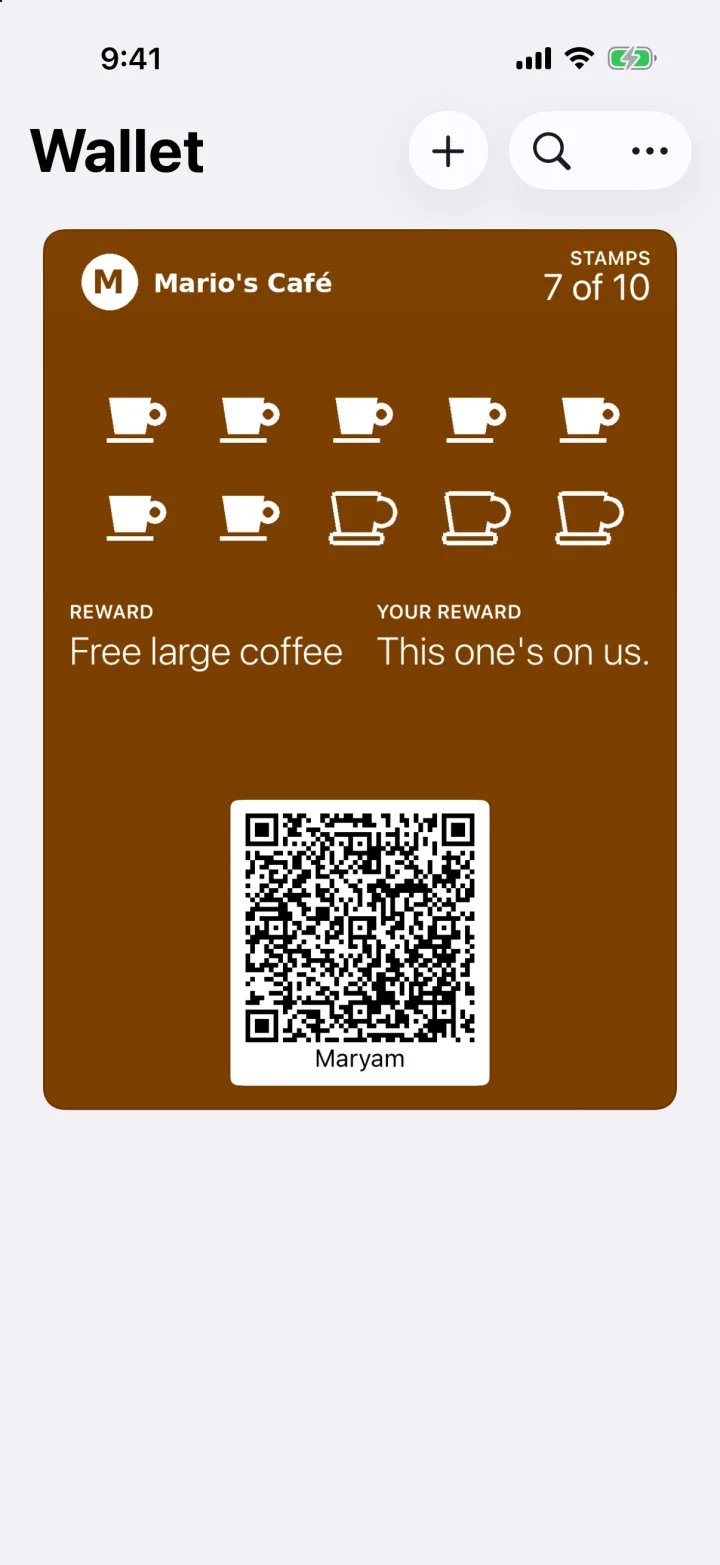
Your card in Apple Wallet. The stamps fill in on their own, and Google Wallet works the same way.
Three steps. No app.
-
Scan the QR at the counter
Point your phone camera at the shop's QR. Type your first name and mobile, then the code we text you to check it's your number.
-
Tap "Add to Apple Wallet" or "Add to Google Wallet"
Your card goes into the wallet already on your phone, with the shop's name and your stamps on it. No wallet? Keep your card in the browser instead.
-
Scan the same QR each visit
At the counter, scan the same QR for today's stamp: one stamp per visit, and nobody needs to scan your phone. The visit that fills your card is paid as normal. On your next visit your phone asks "Use it now?". Tap it at the counter, show the live screen, and this one's on the shop.
Looking for somewhere to start? Find loyalty near you or see what’s trending this month.
Your privacy, in three sentences.
A shop sees your first name, your mobile and your visits at its own shops, never where else you shop.
A shop can text you offers only if you ticked its own box when you joined, and that box is never ticked for you. Reply STOP to any offer to stop offers from every shop on Rewardtree.
See or delete your details any time at rewardtr.ee/manage (here is how deleting works), or email [email protected].
The full Privacy Policy says the same thing in more words.
Good questions.
Do I need an app?
No. Your card lives in Apple Wallet or Google Wallet, or in your phone's browser. To collect a stamp, you scan the shop's QR with your phone camera.
Does it cost anything?
No. Joining, collecting stamps and getting rewards are free for customers.
Which phones does it work on?
iPhone uses Apple Wallet and Android uses Google Wallet, so almost every phone is covered. If yours has neither, the shop's page offers "No wallet? Open your card in the browser", and your card works from there instead.
How do I get my free reward?
The visit that fills your card is paid as normal, and the reward is saved for your next visit. Then scan the shop's QR and your phone asks "Use it now?". At the counter, tap the button and show the live screen: your reward, your first name and a moving clock.
What if I lose my phone or get a new one?
Your card lives with your mobile number, not your phone. On your new phone, scan the shop's QR, type your mobile and the code we text you, and your card comes back with every stamp. Got a new number? Your stamps stay with the number you joined with, so a new number starts a new card. If something looks wrong, email [email protected]. Support →
How do I stop offers?
Reply STOP to any offer text. That stops offers from every shop on Rewardtree straight away. You can also switch offers off at rewardtr.ee/manage after signing in with your mobile. The texts that check your number aren't offers and keep working. Manage your details →